
Homes and villas
Coverage across rooms and floors with practical placement to reduce weak areas.
We review floor layout, walls, user density and usage, then plan TP-Link access-point placement, network and power requirements, configure the system and test coverage before handover.
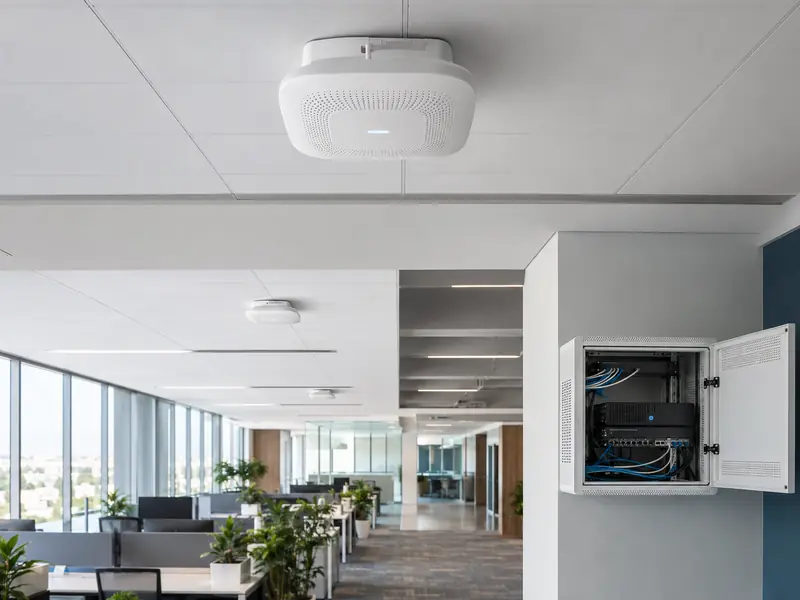
AP quantity and location depend on more than floor area. Walls, floors, user density and the type of traffic all influence the design.
Coverage across rooms and floors with practical placement to reduce weak areas.
Coverage for work areas and meeting rooms while considering device and user density.
Reliable connectivity for operational use and guest access where the project requires it.
Indoor or outdoor access-point selection and mounting suited to the site environment.
The goal is to make each access point part of a structured network rather than a standalone device installed without planning.
We review floor layout and obstacles to identify practical access-point locations.
Device count and traffic type help determine the suitable product class.
We verify wired backhaul, switching and the power method supported by the selected model.
AP placement is tuned to reduce problematic overlap and improve movement between coverage areas.
Device type and mounting location are matched to the environment and intended use.
We select a management approach based on the chosen hardware and whether centralized management is supported.
Not every TP-Link model provides the same capabilities. We define the management requirement first, then verify hardware compatibility.
A small site may need one access point, while a multi-floor site may require several APs and structured wired connectivity. We therefore match the hardware to coverage, users, infrastructure and required features rather than choosing by model name alone.
A clear workflow reduces rework and keeps the final installation tied to the actual site requirement.
Review layout, floors, walls and target usage areas.
Plan access-point locations, cabling and suitable power delivery.
Match product class and features to load and management requirements.
Mount APs and configure the wireless network within the project scope.
Verify operation and target-area coverage and explain basic use.
The project may need switching, cabling or a wider network upgrade before additional access points are installed.
Omada, PoE and wireless capabilities vary by model and revision. Specifications and compatibility are confirmed before supply and installation.
The number depends on floor area, walls, floors, user density and usage. We determine placement from the actual coverage requirement rather than area alone.
No. Omada support and management features vary by product family and model, so compatibility is confirmed before supply and configuration.
For many business installations, a suitable wired backhaul provides a stable foundation. Cabling and PoE requirements depend on the selected model and site infrastructure.
A multi-AP network can be designed with consistent wireless settings when the equipment and infrastructure support it, with coverage tuned to reduce overlap problems and improve movement between areas.
Yes. Handover includes checking access-point operation, connectivity and coverage in the target areas, with adjustments within the agreed project scope.
Send us the site type, approximate size and number of floors, and we can arrange a survey to plan suitable access-point placement and network infrastructure.